Enhancing iMessage for Reading Accessibility
This project explores how personalized features could be added to Apple iMessage to reduce reading friction for users experiencing permanent, temporary, or situational reading difficulties.
This concept was developed in late 2024, prior to Apple’s AI summary feature in iOS 18.
Type
UI / UX
Team
Independent
Role
Methods / Tools
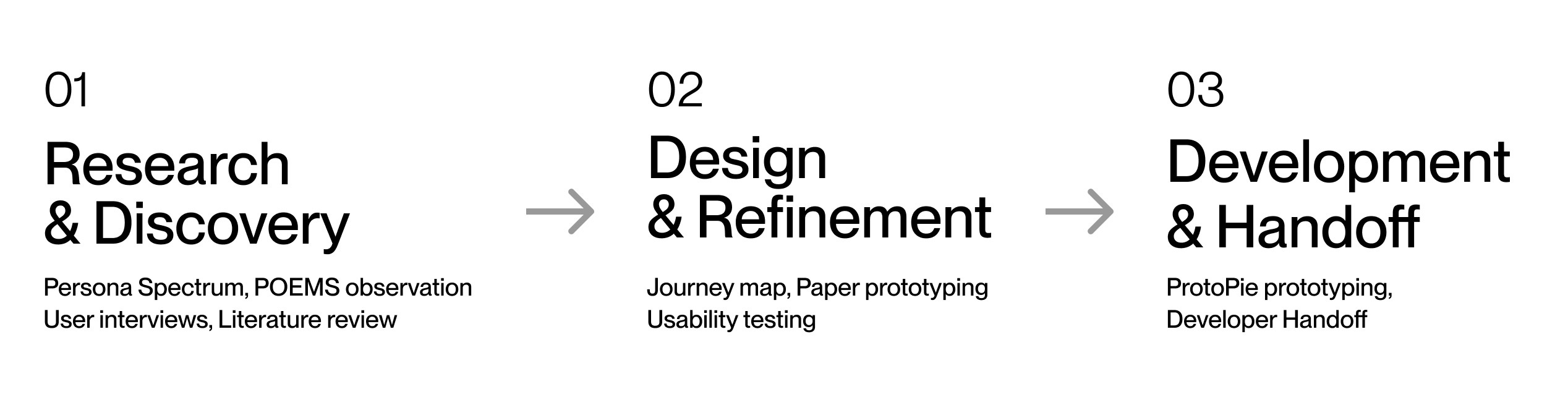
Research, User interviews and observations, Persona Spectrum, Journey mapping, Paper prototyping, Usability testing, UI style guides, High-fidelity prototypes in ProtoPie
Timline
2–3 months
Fall 2024
Context
Reading difficulties aren’t always permanent. People may struggle due to dyslexia, illness, fatigue, multitasking, or language barriers.
This project focuses on identifying these challenges and exploring new iMessage features that can support different reading contexts—without changing the app’s familiar UI or interaction patterns.
This concept came together in late 2024, before Apple's AI summaries released in iOS 18(October, 2024).
Challenge
The main challenges were to:
Understand reading difficulties across permanent, temporary, and situational constraints
Identify pain points in current iMessage experiences using a persona spectrum
Reduce overwhelm from long or fast-paced conversations
Ensure new features feel optional and supportive, not disruptive
Design a solution that works across all types of user contexts
Methods
I combined qualitative research with structured frameworks to understand user needs from multiple angles:
Used a KWHL table to map existing knowledge, assumptions, and research gaps
Applied research triangulation to validate insights across interviews, observations, and secondary research
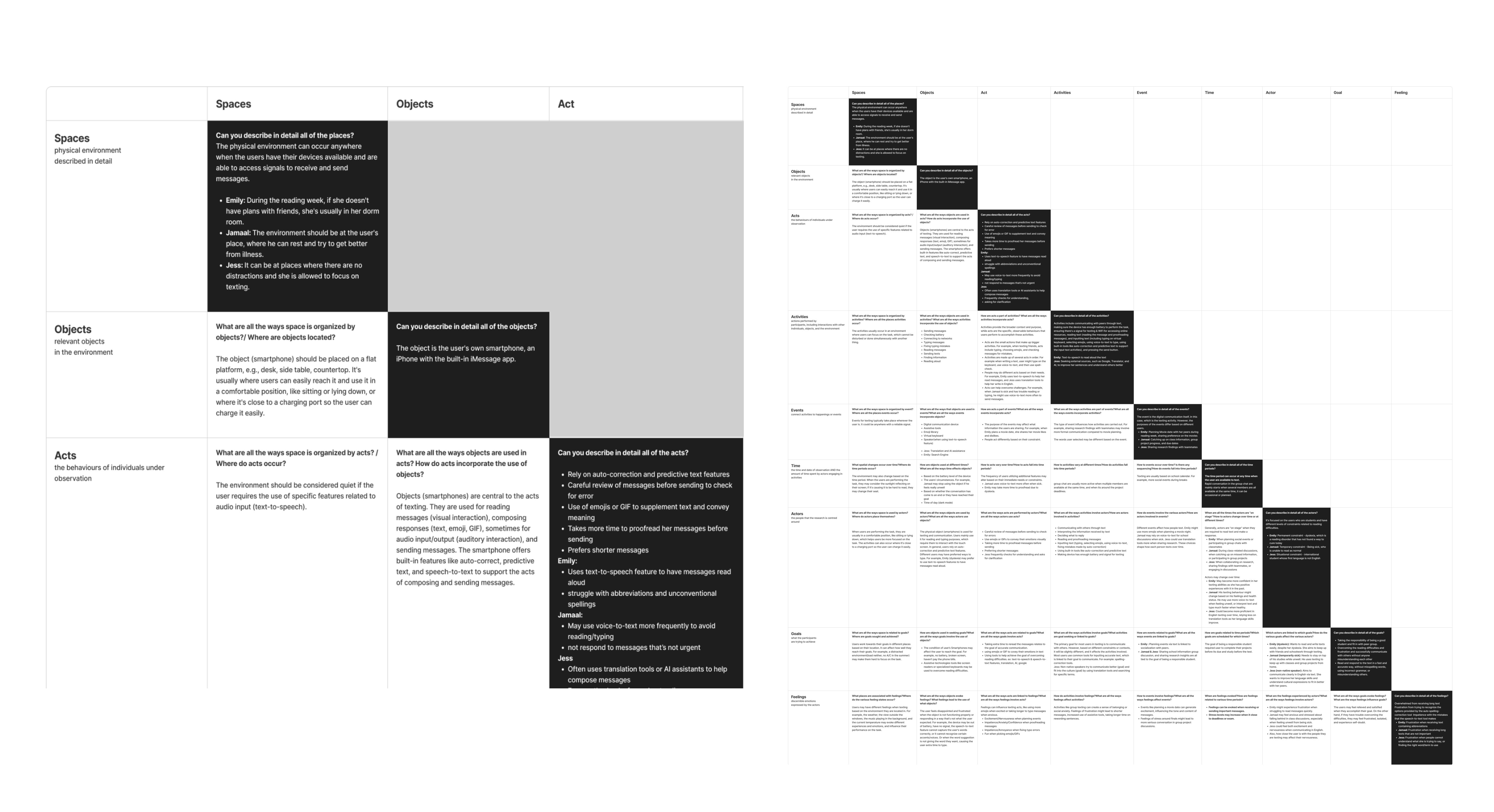
Identified behavioral patterns using Spradley’s matrix, which informed persona and journey creation
Translated insights into design decisions through personas and user journey maps
Tested early ideas using paper prototypes, then refined them into mid–high fidelity prototypes in Figma, followed by interactive prototypes in ProtoPie
Project Outcome
The final outcome is a conceptual iMessage prototype that adds new, optional features to support reading accessibility across different user contexts.
What was added:
A conversation summary feature to help users quickly understand long or fast-paced message threads
An emoji-supported text feature that introduces visual cues to aid interpretation and tone recognition
The solution is delivered as a high fidelity interactive prototype(ProtoPie), focusing on feature behaviour and interaction flow rather than visual redesign.
01
Research & Discovery
Steps
01
Define the Goal
Started with a How Might We (HMW) statement. The goal was to explore feature-level opportunities that reduce reading friction while keeping iMessage familiar and easy to use.
How Might We
Enhance The Texting Experience
For Users With Reading Difficulties?
02
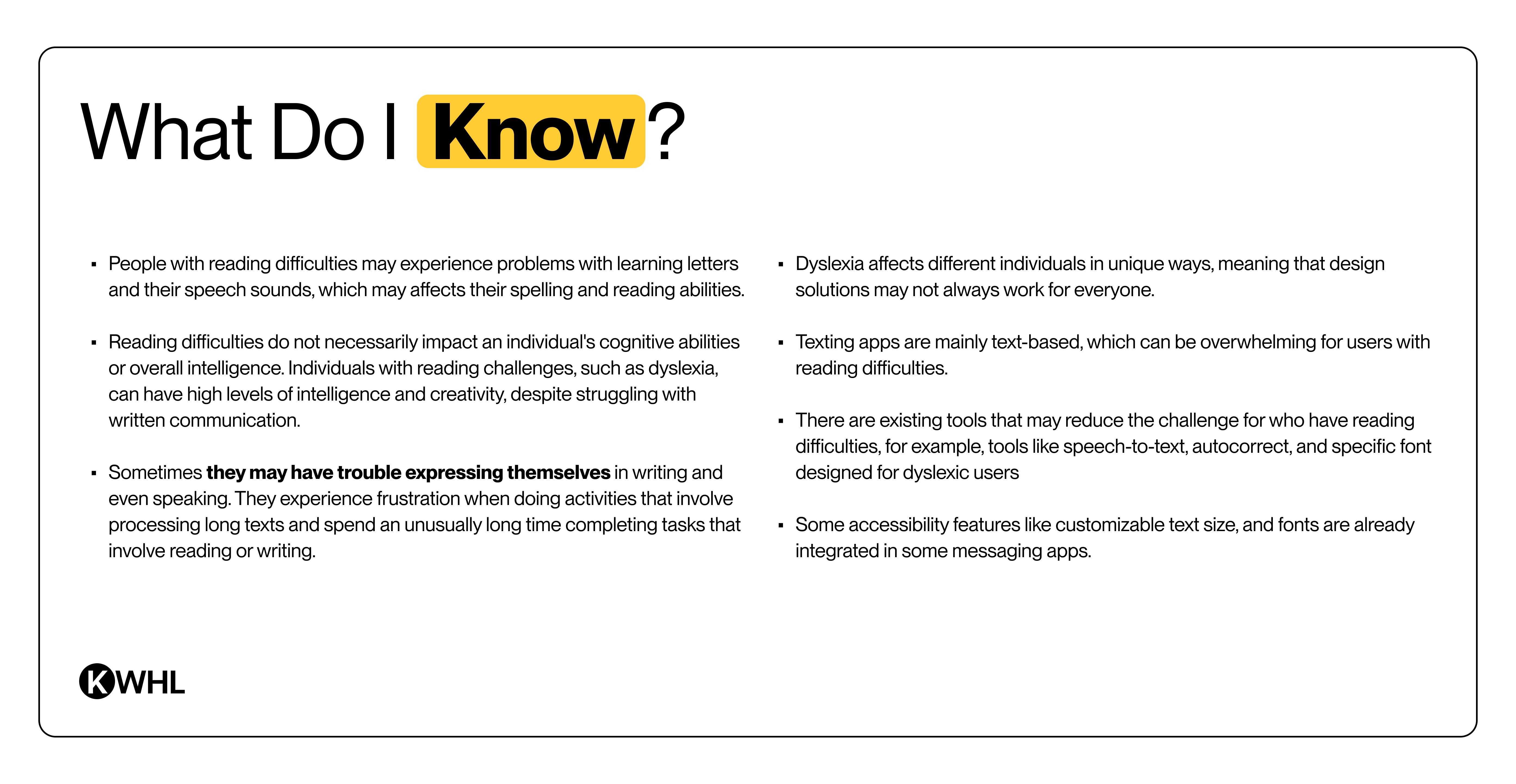
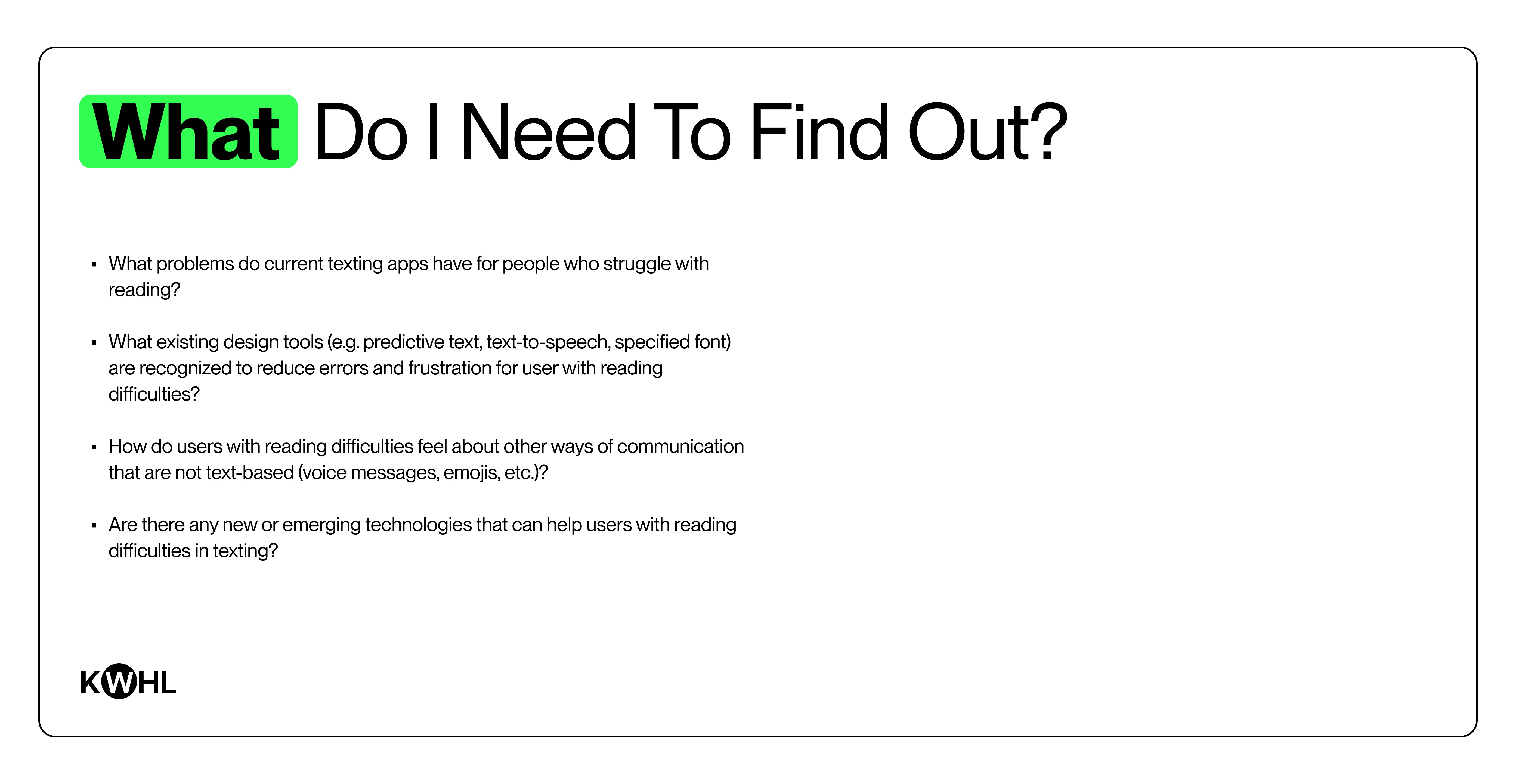
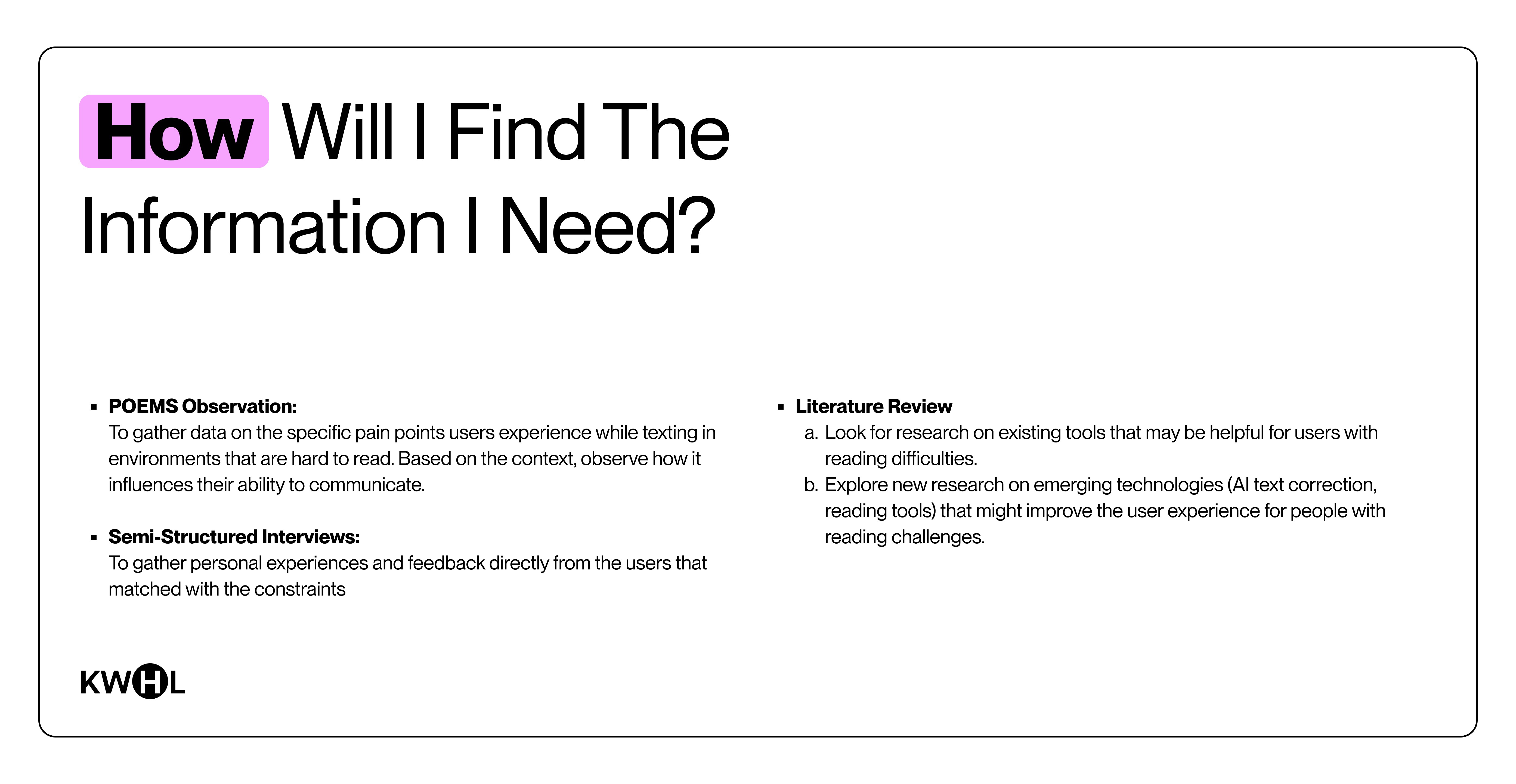
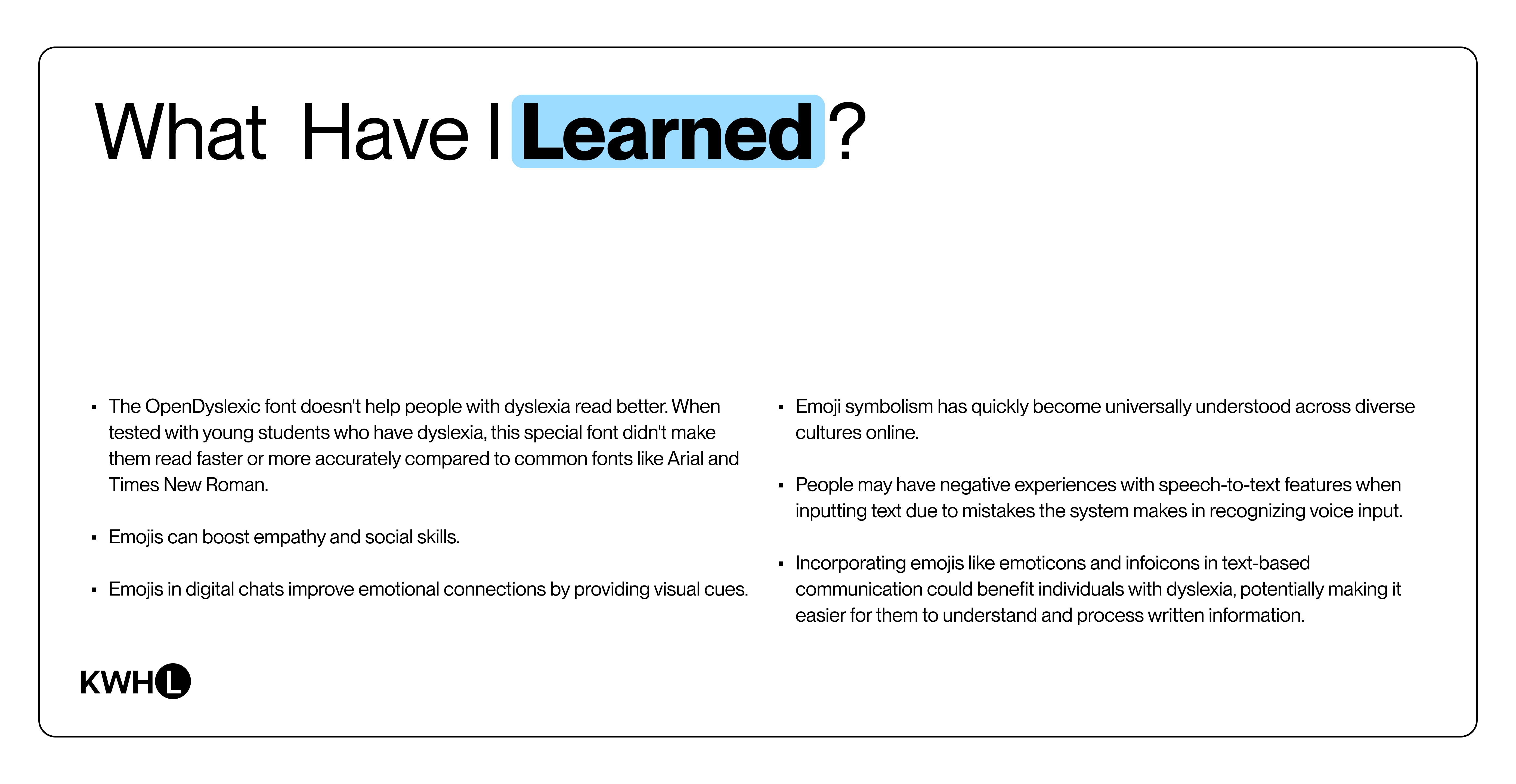
Research Planning – KWHL
I used a KWHL table to structure my research early on.
Clarified what I already knew and what I needed to learn
Documented assumptions and new insights in an organized way
Identified gaps in the problem space and opportunities for redesign
03
Inclusive Design –
Understand Users Deeply
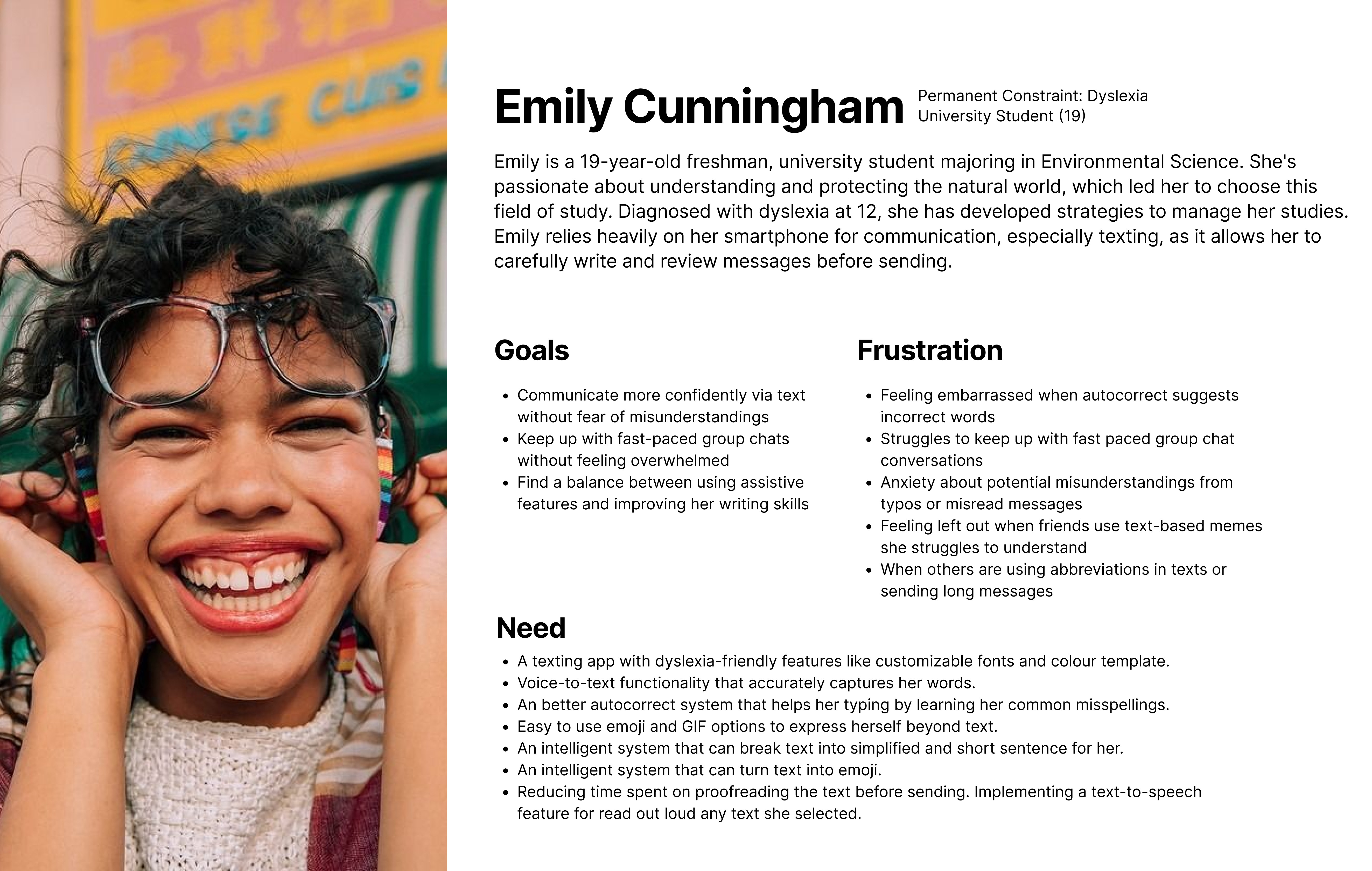
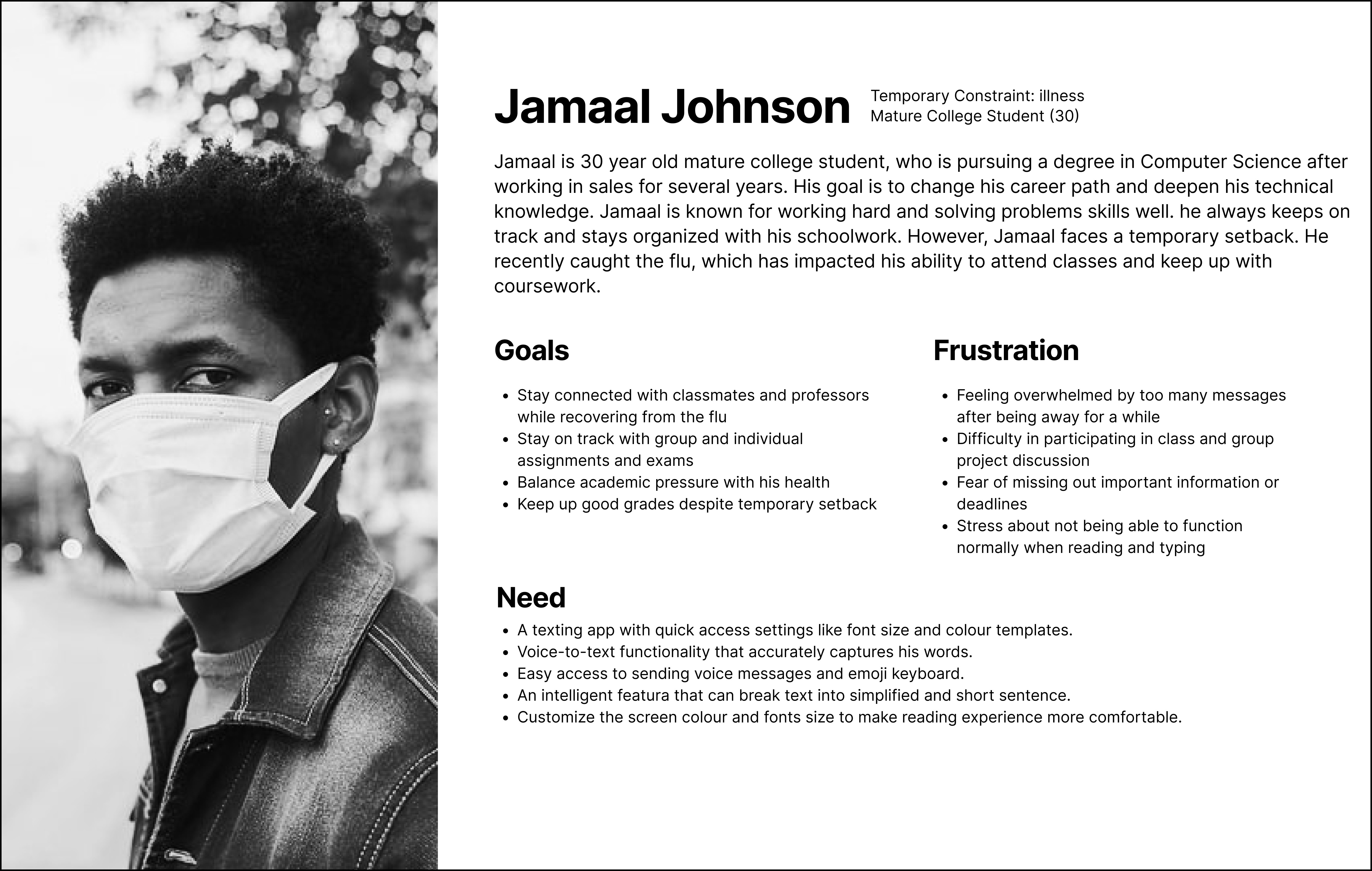
I approached reading difficulty as a human–technology mismatch rather than a personal condition, which helped frame three types of reading-related constraints.
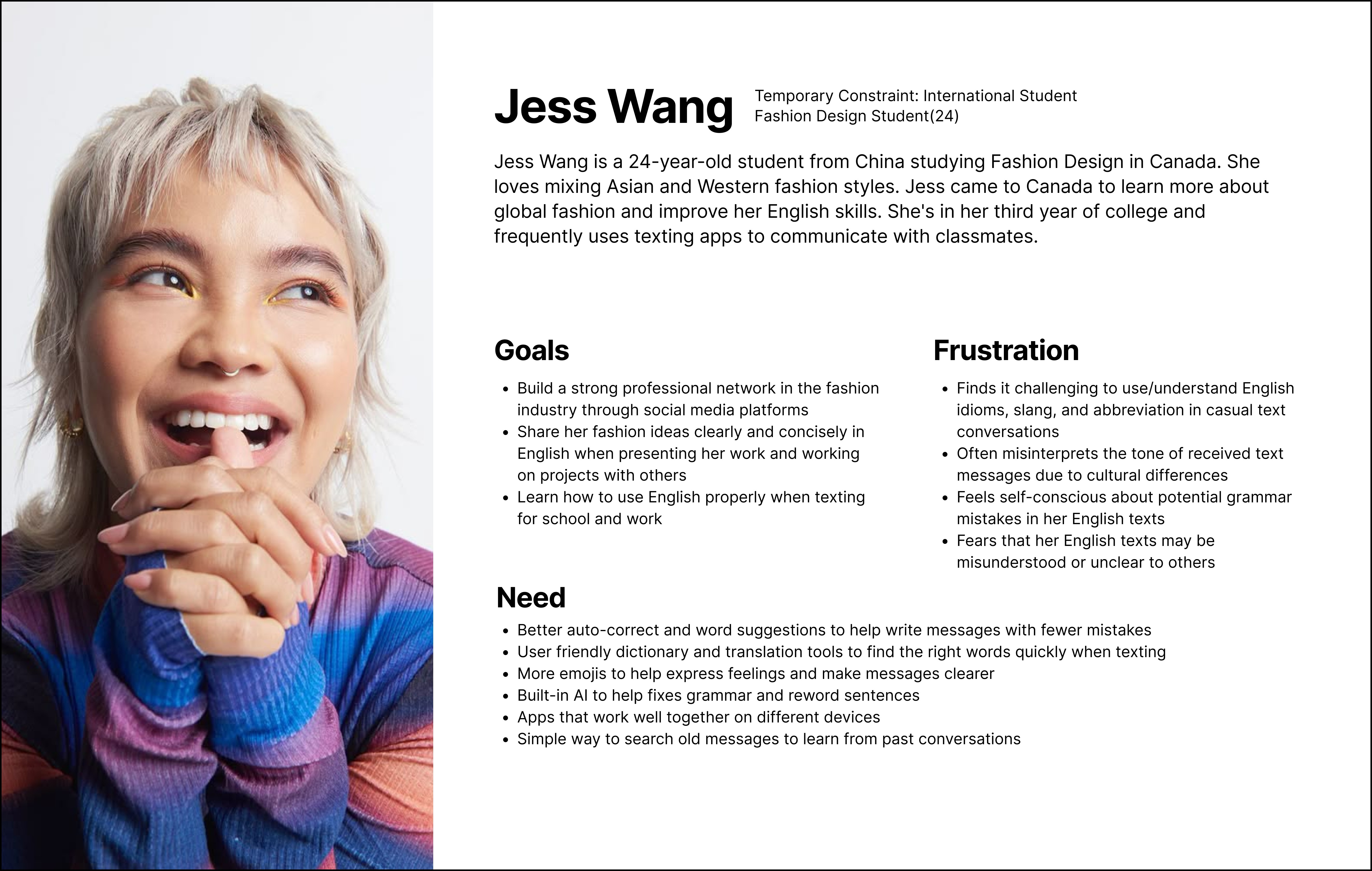
Instead of creating traditional persona, I created Personas Spectrum represent three types of constraints: permanent (dyslexia), temporary (illness or fatigue), and situational (language barrier/multitasking).
Used journey maps and Spradley’s matrix to understand real texting behaviours and breakdown point
05
Research Methods:
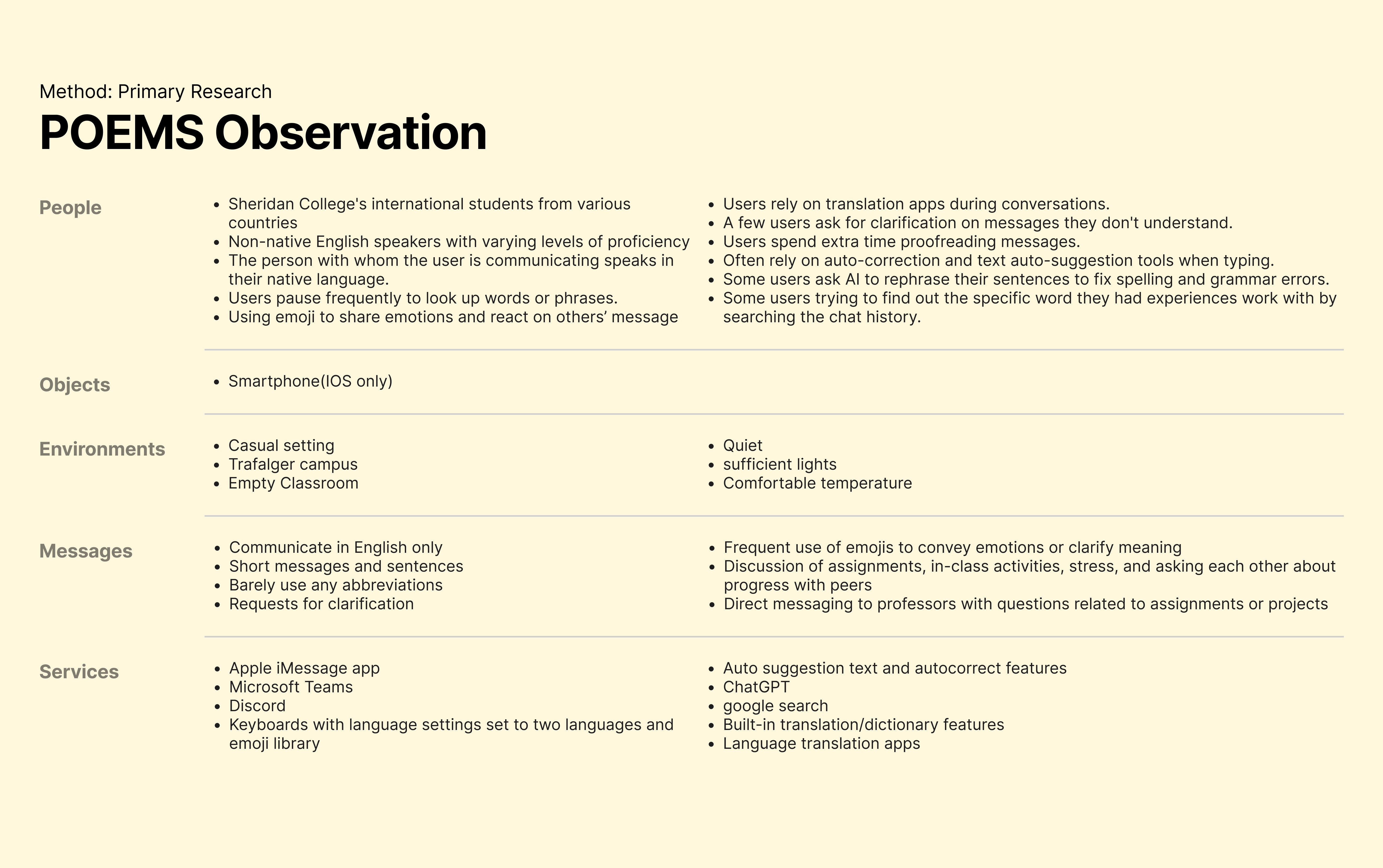
Observed international students and non-native English speakers texting in English
Found that slang, idioms, and tone vary across cultures
Noted emojis as a universal visual language that helps users blend into conversations
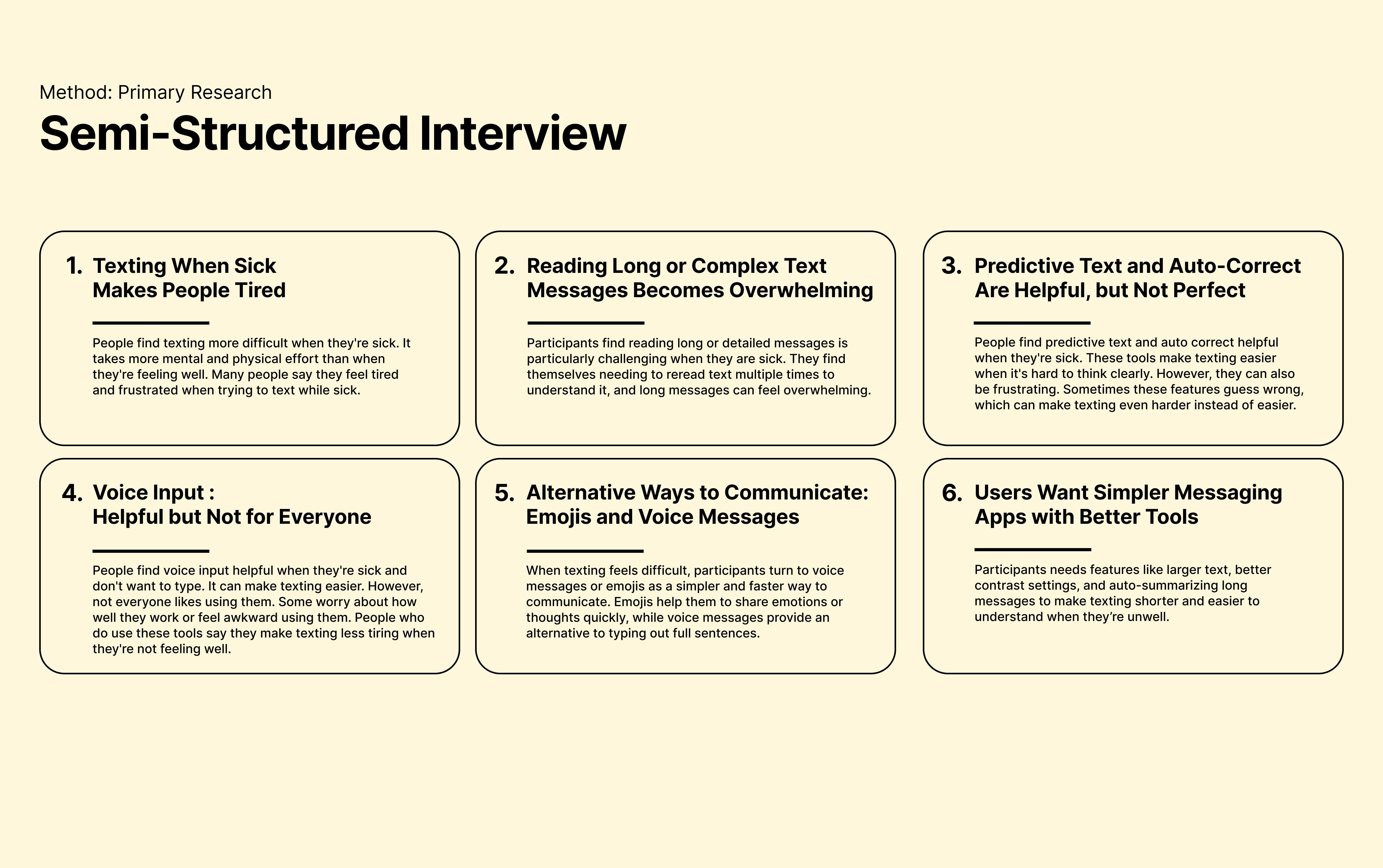
Interviewed 10 iOS 17 iMessage users using open-ended questions:
Users preferred short messages when tired or sick
Many relied on emojis or voice messages instead of long text
Customization and assistive tools were valued, but not always trusted
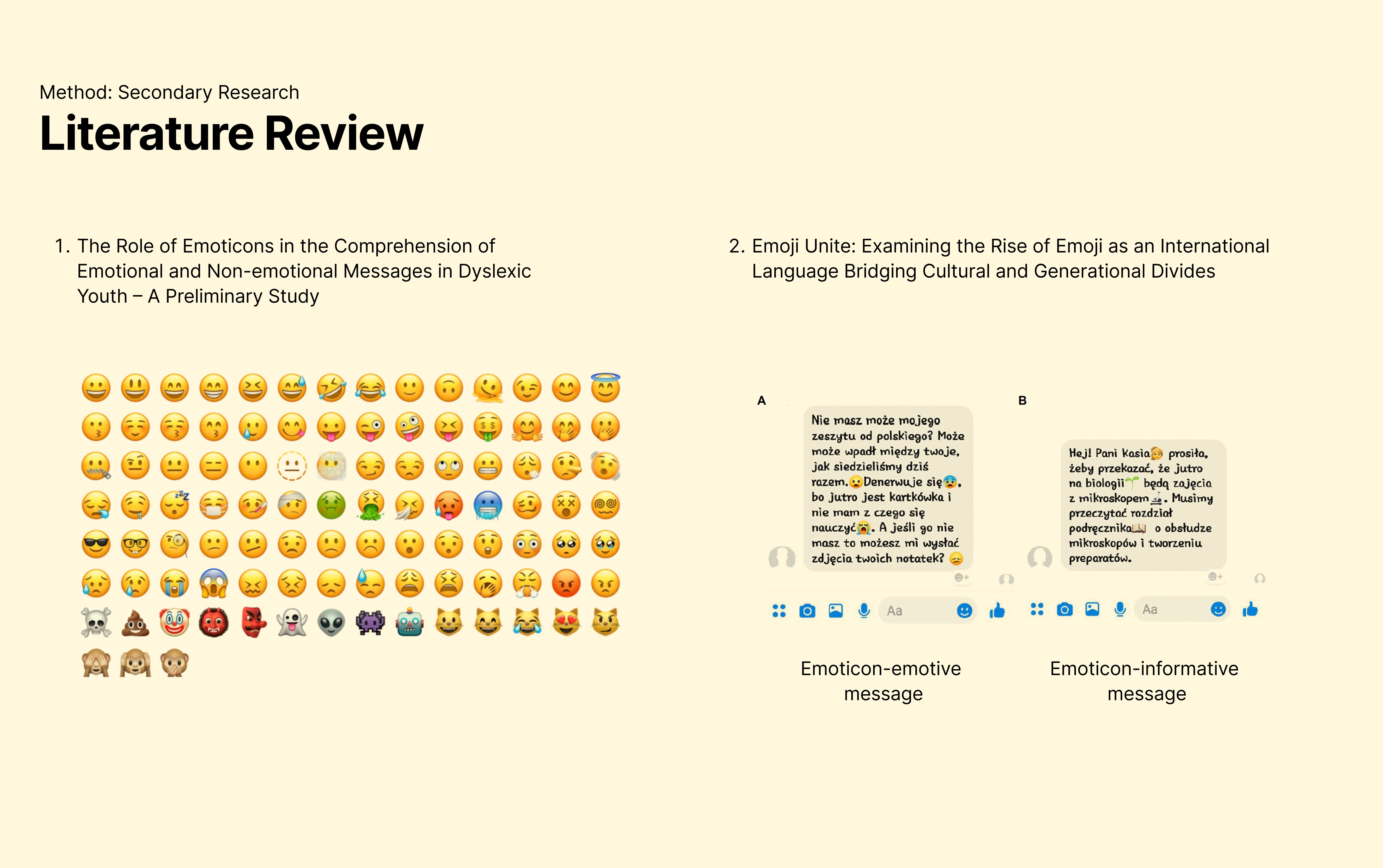
Scholarly research helped validate and contextualize findings from primary research.
Users process messages faster when emotion-expressing emoticons are present
Dyslexic users show better comprehension with visual supports like infoicons
Emojis are widely understood across cultures and contexts
Research Insights:
Using Research Triangulation, I focused on overlapping patterns across all research methods.
01
Summarization Reduces Cognitive Load
Short summaries help users quickly understand long or fast-paced conversations and reduce reading overwhelm.
02
Emoji Context Aids Interpretation
Contextual emojis support tone and meaning, especially for users facing language barriers, fatigue, or dyslexia.
02
Design & Refinement
Steps
01
Journey Mapping
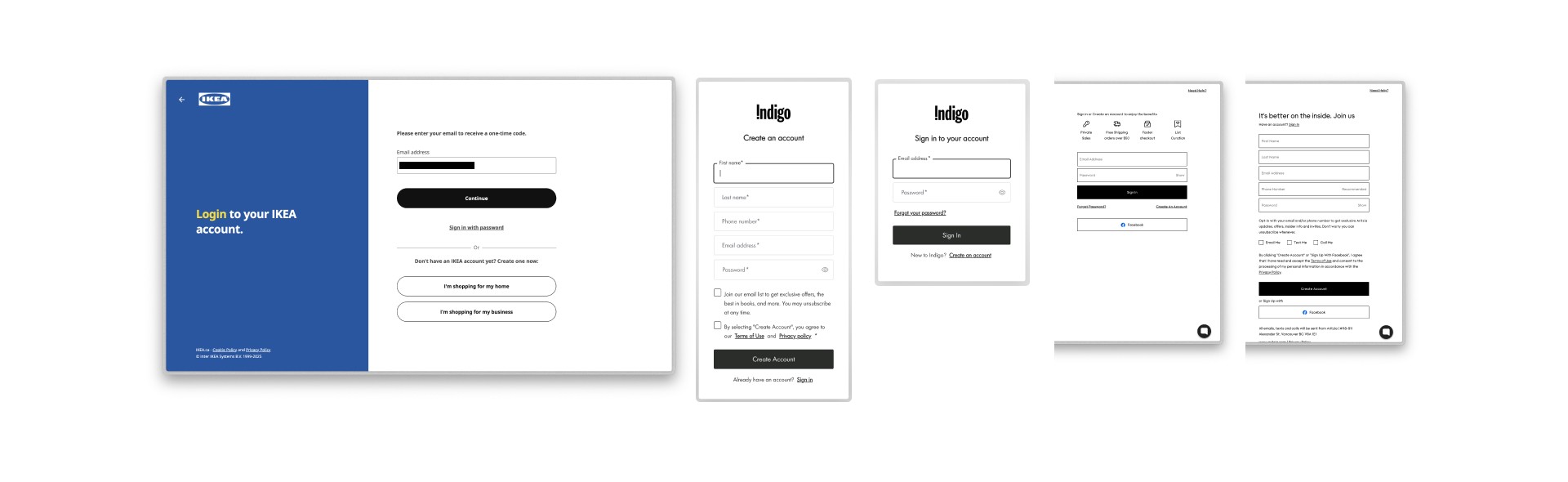
Mapped common texting scenarios to understand user goals, pain points, emotions, and moments of friction. This helped identify where summary and emoji support could be most helpful.
02
Ideation & Prototyping
Brainstormed multiple ways to integrate new features into the journey map. Rapid paper prototyping was used to explore feature placement, interaction flow, and early concepts.
03
Testing & Refinement
Conducted usability testing with paper prototypes to evaluate how users understood and interacted with the summary and emojify features.
Participants completed task-based scenarios using a think-aloud approach
Observed user behaviour, confusion points, and decision-making
Gathered feedback on usability, layout, and feature clarity
Design refinements were made based on these insights.
04
High-fidelity Design
Translated the refined concepts into high-fidelity wireframes, applying the iOS 17 design system to ensure visual consistency, interaction accuracy, and system alignment.
03
Development & Handoff
Built an interactive prototype in ProtoPie to simulate real interaction behaviours and system responses
Created clear development and interaction specifications to support handoff to a development team in a real-world scenario
(Final Solution)
|
Take Away
Accessibility isn’t a niche problem — reading difficulties can affect anyone, depending on context.
Research helped challenge my early assumptions and guided more grounded design decisions.
Optional features scale better than forced solutions and respect different user needs.
Small feature additions can create meaningful impact without changing a product’s core identity.
Reflection
This project pushed me to think beyond permanent disabilities and design for real, everyday constraints. Working within Apple’s design system taught me how to balance creativity with structure. Most importantly, it reinforced how thoughtful, research-led decisions can make familiar products feel more inclusive.
Future Improvements
Test the concepts with a broader and more diverse user group.
Refine how emoji support works and explore different levels of personalization.
Compare these ideas alongside existing AI-based solutions to understand overlap and gaps.
Measure long-term impact through quantitative testing, such as comprehension or task speed.