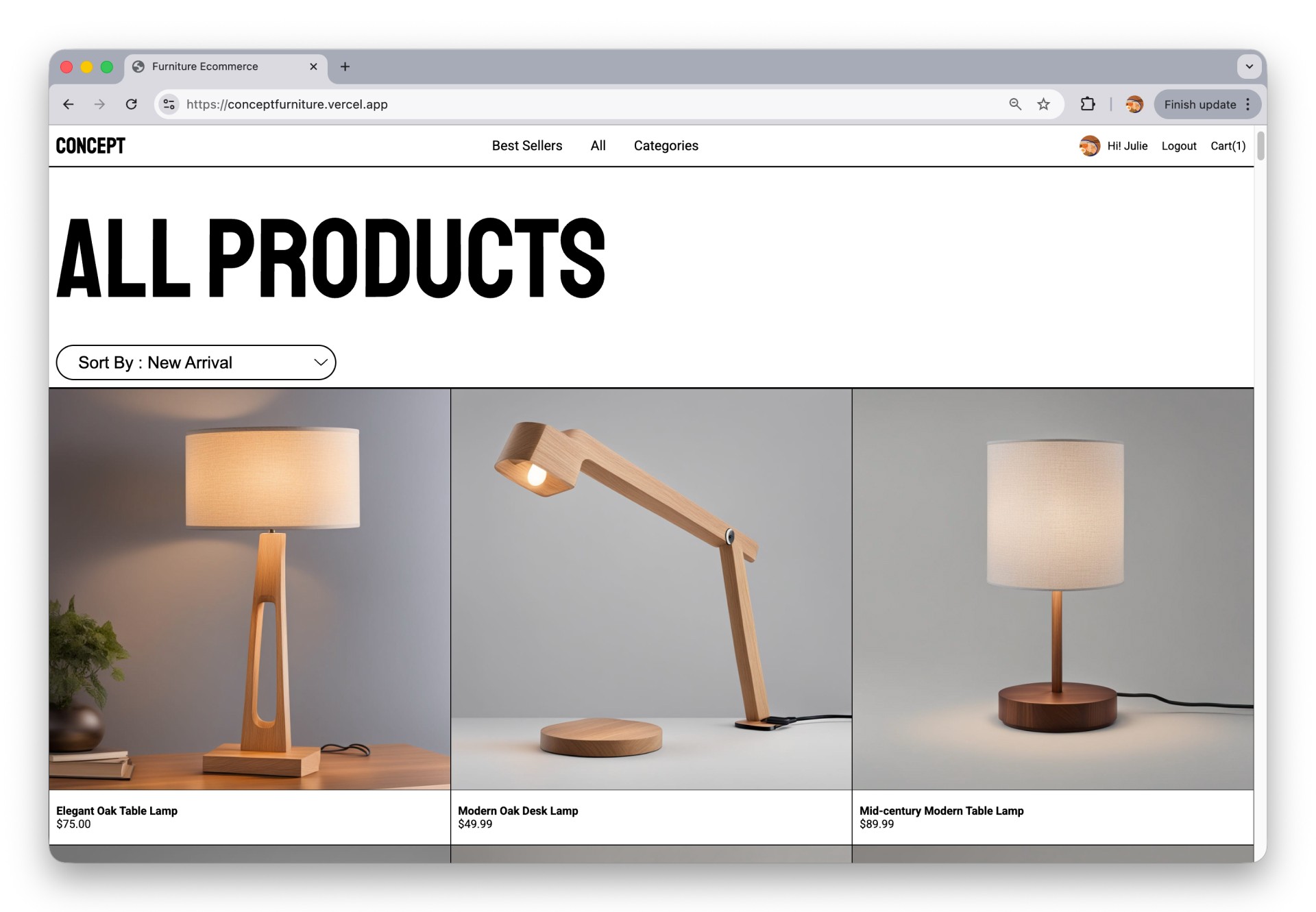
Concept Furniture E–commerce
An e-commerce system that explores how interaction design decisions translate into scalable product architecture.
Role
Type
UI/UX & Full Stack Development
Tool
HTML, CSS, JavaScript, Node.js, Express, MongoDB, Prisma, Auth0
Timline
7 – 8 weeks
Context
This project was not focused on solving a single user pain point. Instead, it was an opportunity to apply UI/UX thinking while designing and building a realistic e-commerce system – from product discovery to cart behaviour and authenticated user states.
Challenge
To design and build a realistic e-commerce platform that uses familiar UI/UX patterns to encourage users to complete key actions, such as checkout and authentication, while remaining scalable for future development.
Project Outcome
The final outcome is a fully functional furniture e-commerce experience that includes:
Category-based product browsing
Dynamic product listings and detail views
Shopping cart with add/remove, quantity updates, and pricing summary
User authentication and account access
A clear visual hierarchy that supports usability and system growth
The system is designed to feel familiar to users while remaining structured and scalable.
Process
This project followed a structured process that connected UI design with system planning before development.

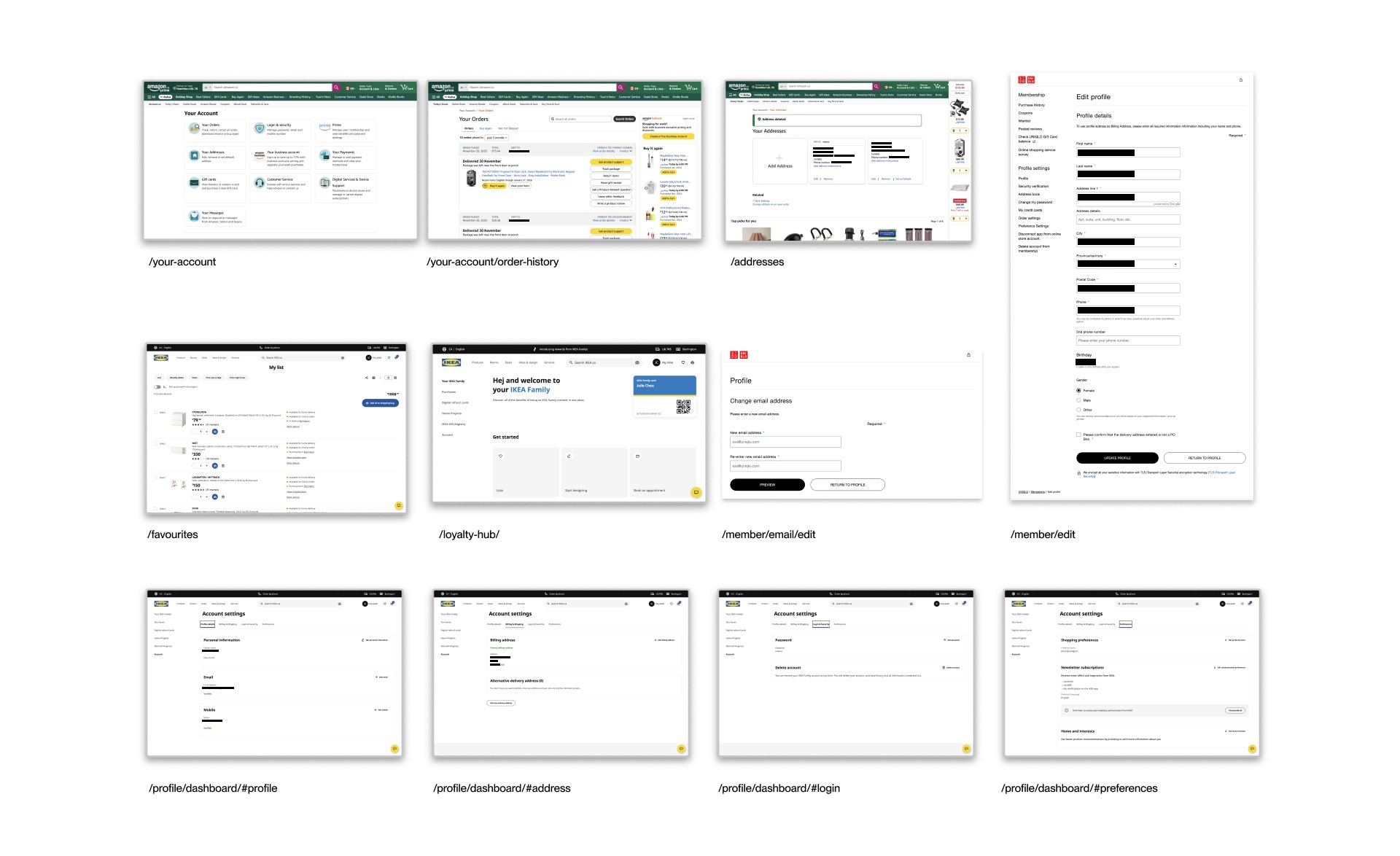
I reviewed established e-commerce platforms such as Amazon, IKEA, Article, Uniqlo, Ruggable, and Indigo to understand common patterns in cart behaviour, authentication flows, and system structure.
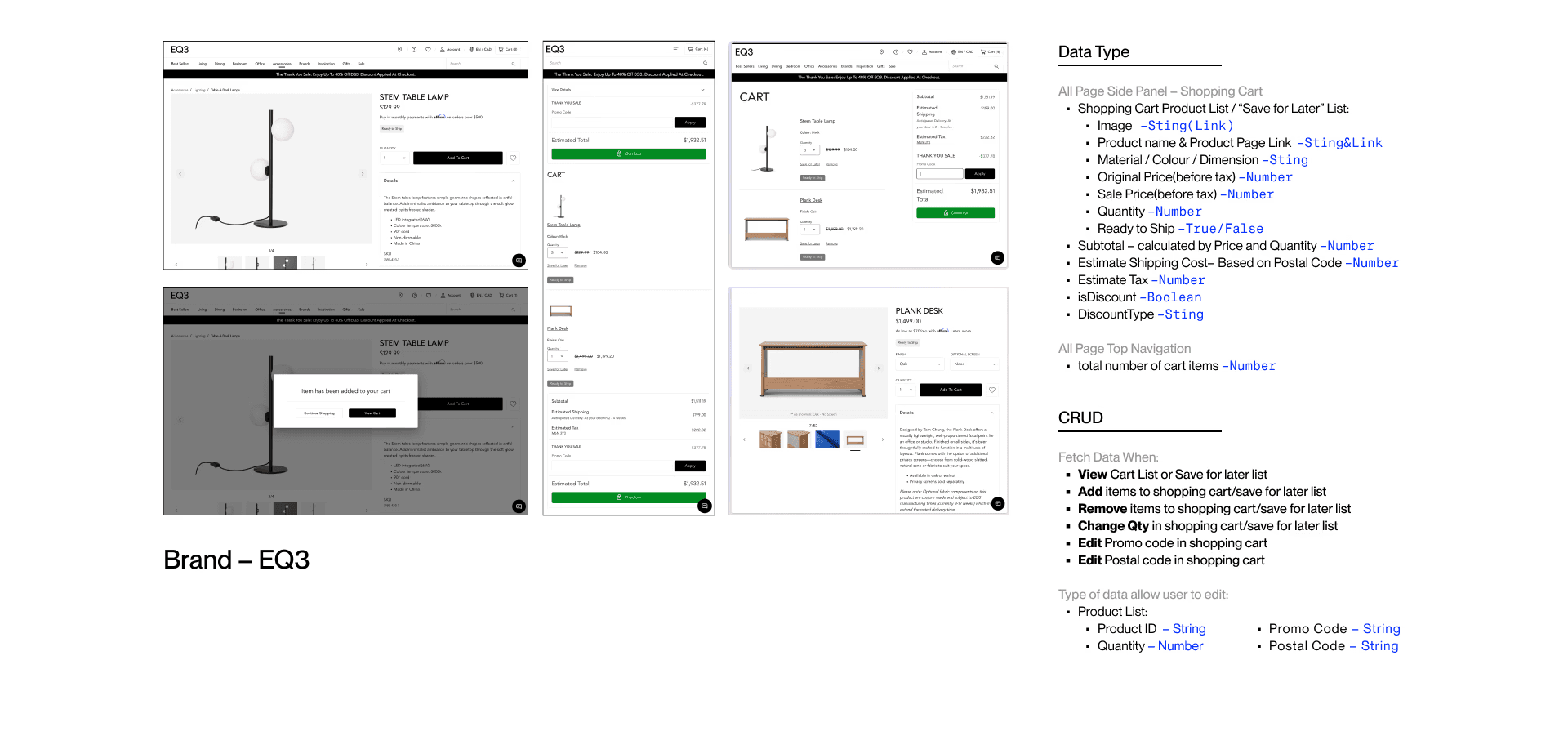
Key Insights:
01
Shopping carts are designed to encourage checkout.
Highlighting the subtotal and making delete actions less intuitive helps keep items in the cart.
02
“Save for later” gives items a second chance.
Instead of fully removing products, placing them in a separate list keeps them visible for future consideration.
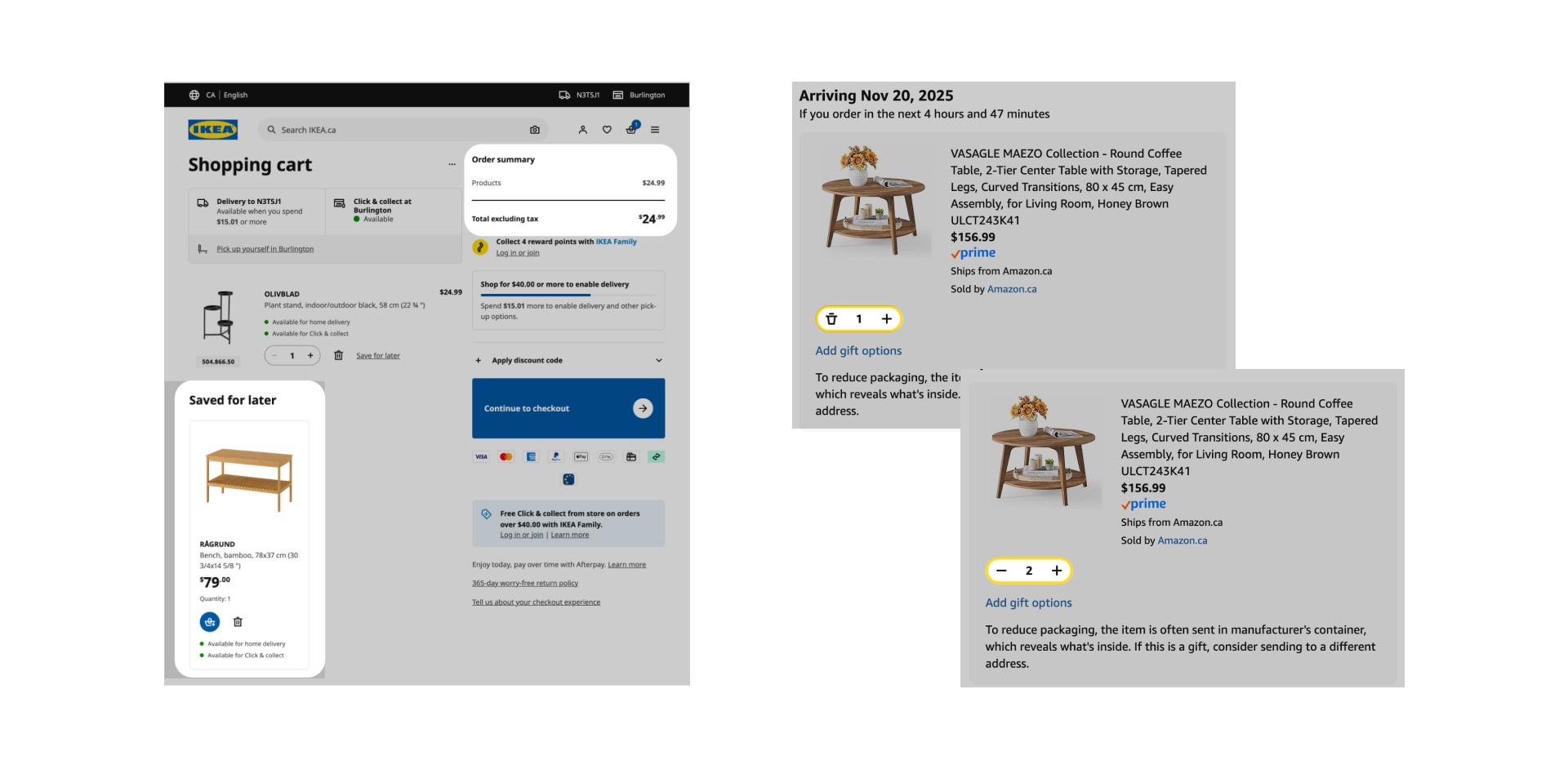
03
Familiar sign-up flows feel easier and more trustworthy.
Common layouts reduce confusion and help users complete actions more quickly.
04
Account settings need clear organization.
Users usually arrive with a specific task in mind and want to find information fast.
05
Consistent system structure supports future growth.
Using common paths like /account, /orders, and /cart makes the product easier to scale over time.
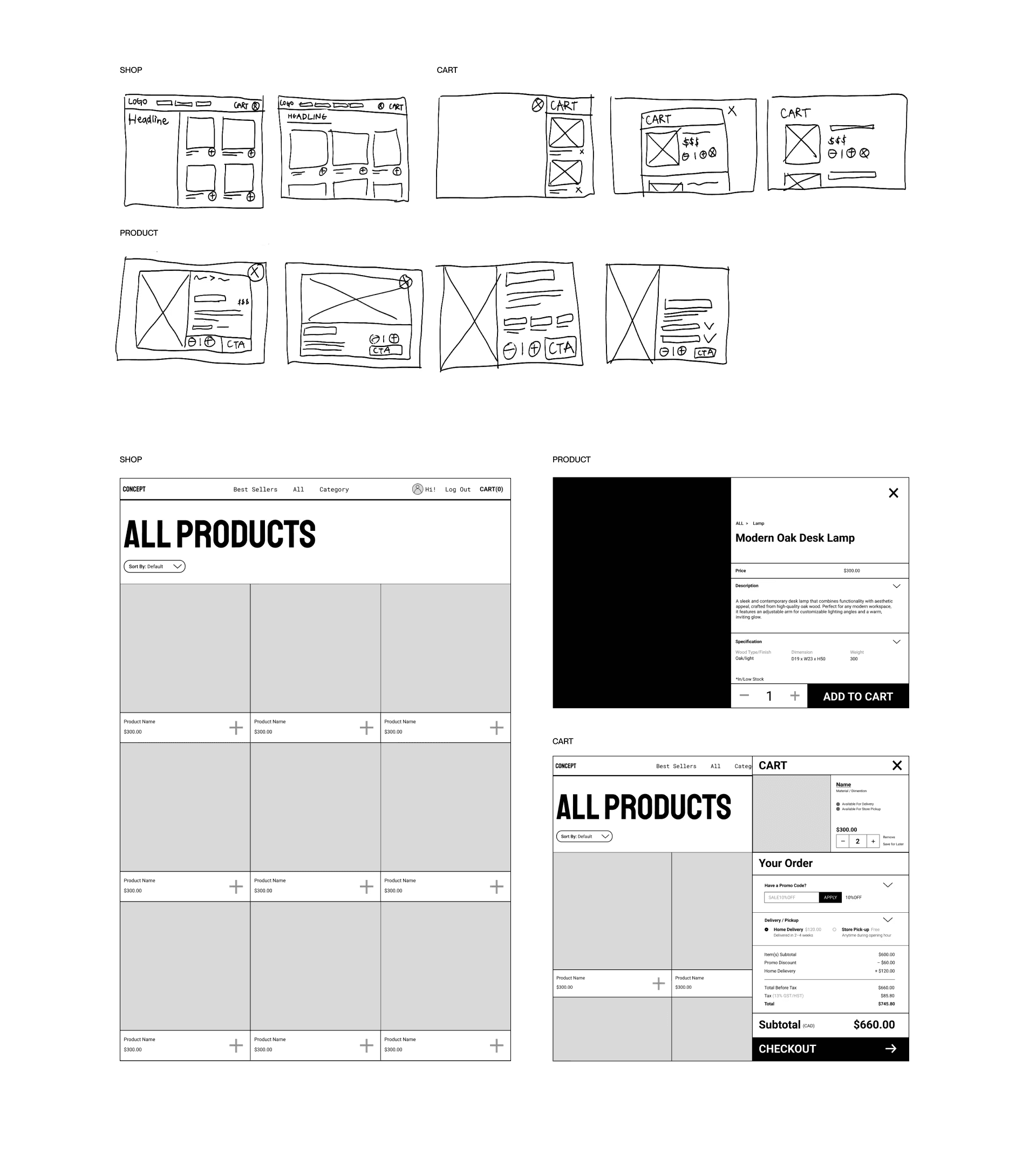
Started with low-fidelity layouts to define structure and hierarchy
Refined designs into high-fidelity UI based on interaction patterns and system needs
Key Decision
01
Used Familiar E-Commerce Patterns
Decision |
Followed common e-commerce interaction patterns
Why |
To reduce learning time and keep the experience realistic. As a result, users can navigate the system easily without confusion
02
Cart Interactions Inspired By Real Platforms
Decision |
Made delete actions less visually dominant and highlighted the subtotal
Why |
To reflect how real retail platforms encourage checkout completion. Making the cart feels familiar and aligned with real-world consumer's behaviour
03
System-First Planning
Decision |
Planned user flows, use cases, and data relationships before building
Why |
To design a connected system rather than isolated screens. Features like cart, accounts, and orders work together and support future growth
04
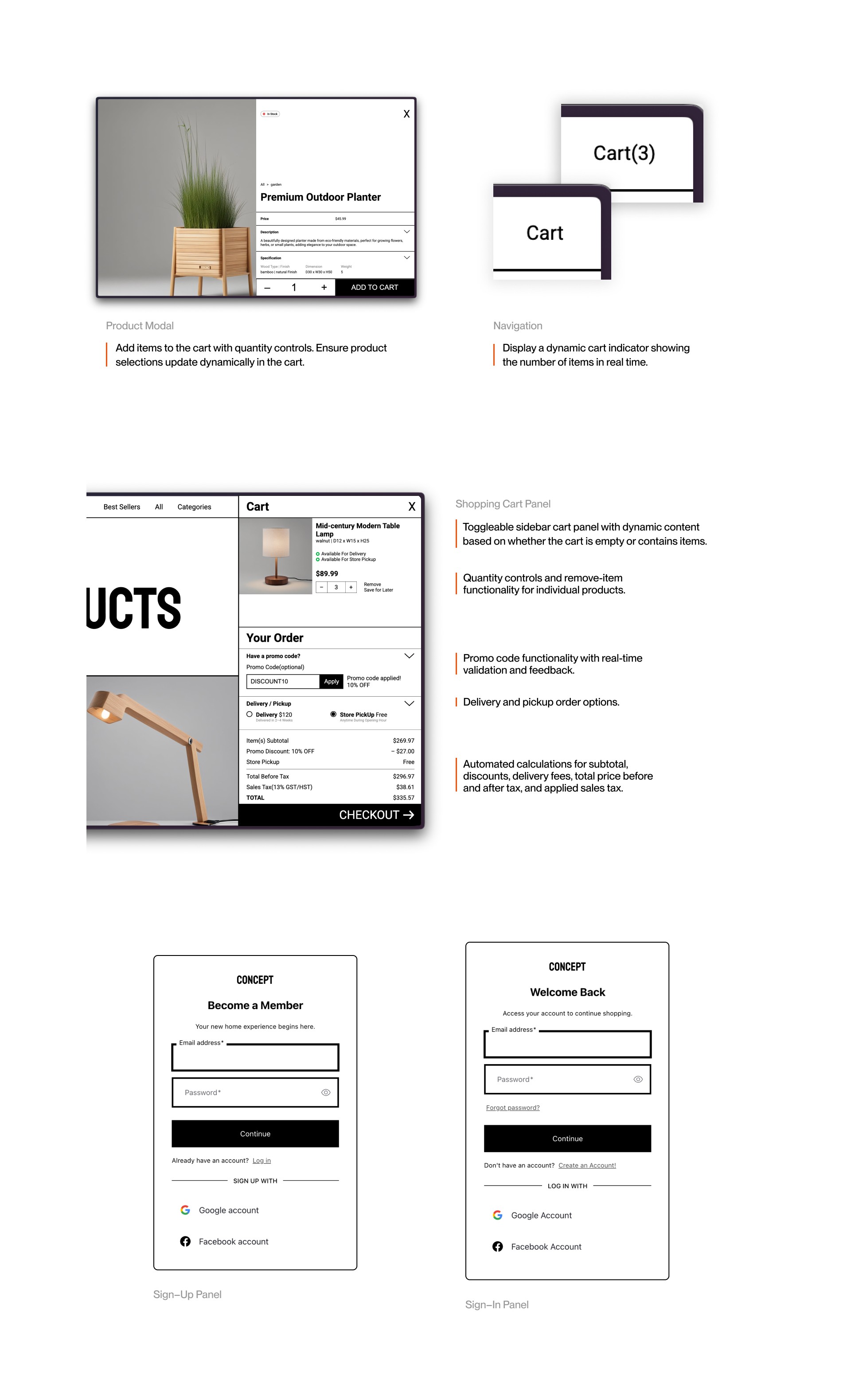
Familiar and Welcoming Authentication Flow
Decision |
Designed the sign-up and login flow using common patterns, simple steps, and friendly, welcoming language
Why |
To reduce the number of actions required and users can complete authentication more easily, and the flow integrates smoothly with account and system features
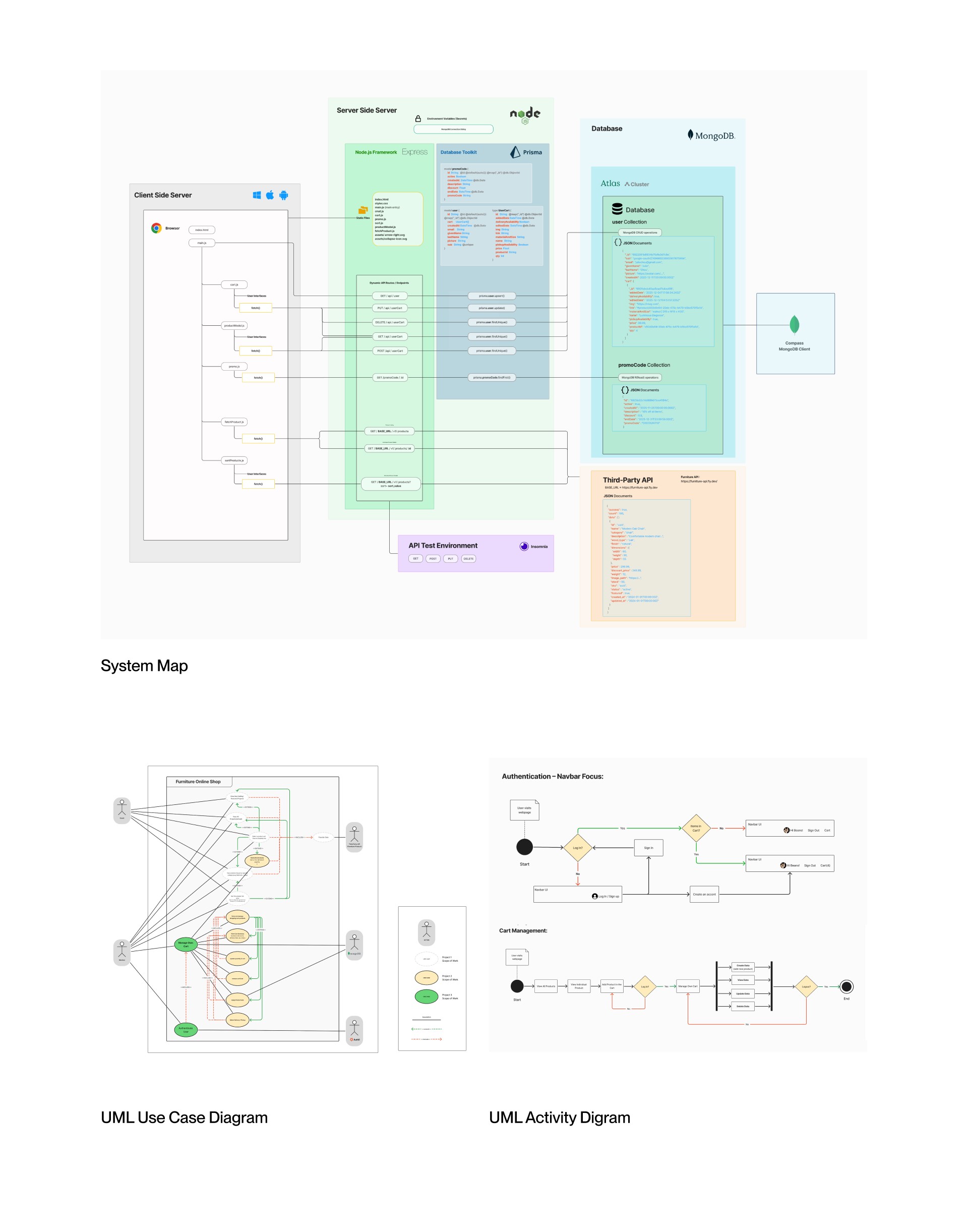
User flows, use cases, and data mapping
Planned relationships between cart, authentication, and accounts
This help me:
Clarify user actions, goals, and system responsibilities
Identify what data needed to persist
Plan API routes and database structure
Understand how different parts of the system connect
Translated UI and system plans into a working e-commerce application.
Take Away
Strengthened my understanding of how UI/UX decisions affect system structure
Learned to design UI/UX with scalability and buildability in mind
Gained experience planning features such as carts, authentication, and accounts as part of a connected system
Applied UI/UX patterns that encourage users to complete key actions without forcing behaviour
Reflection
This project helped me learn how to design UI/UX that is not only visually clear, but also scalable and buildable. I began to think beyond individual screens and consider how design decisions impact system structure and future development.
Through this process, I gained a better understanding of how planning early, especially for carts, authentication, and account features, can support long-term growth and make implementation more efficient.
Future Improvements
This project represents an early version of a fully functional e-commerce system, and there are still several key features that could be added.
If revisiting the project, I would:
Conduct user testing on key flows such as checkout and authentication
Continue refining the system to better support expansion and scalability
Improve performance and responsiveness across devices
Add additional e-commerce features to make the experience more complete